

The Citrix Dazzle Plugin are now available in Citrix Merchandising Server 1.1. If you don’t have a Merchandising Server you’ll first need to download and configure your Citrix Merchandising Server’s IP adresse and then log in with the default credentials : root – C1trix321. This is the “Configure Active Directory Connectivity” page:

Now it’s time to download your preferred plug-ins

Then create at least one Rule and Delivery
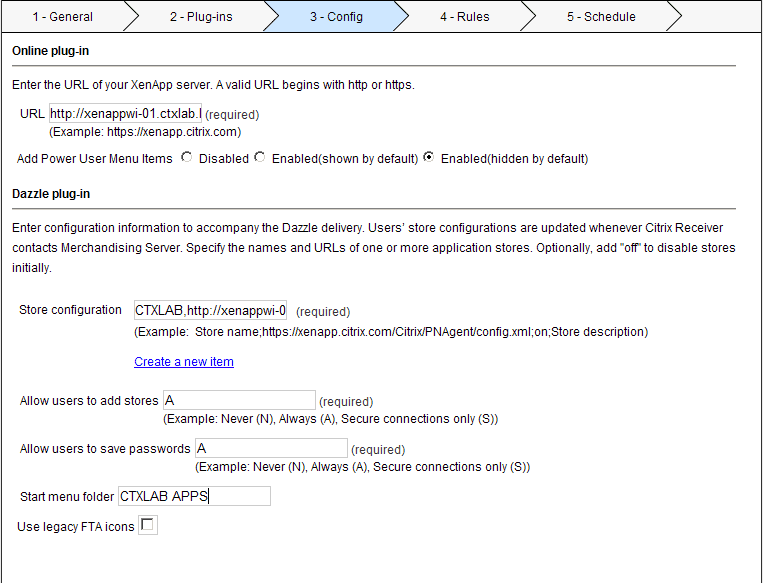
I had some problems in the beginning with accessing the Dazzle store because I did not study the example carefully. CTXLAB;http://xenappwi-01.ctxlab.local/Citrix/PNAgent/config.xml;on;CTXLAB Store