
Ericom AccessNow and Secure Gateway

Ericom AccessNow is a software that allow HTML5 Browser-based RDP Access to any Remote Desktop enabled computer or server using just a web browser. The software provide instant access to Windows desktops and application from almost any device. The exception is Internet Explorer users which has a Desktop Market Share of 53% January 2012 according to NetMarketShare. Internet Explorer doesn’t natively support HTML5 WebSockets so these few users need to install Google Chrome Frame.

The installation of Ericom AccessNow Server and WebComponent is straight forward and you’ll be up and running in a couple of minutes. Brian Madden has already posted a great article : A deeper look at Ericom’s “AccessNow” HTML5 client. Why wait for Citrix & VMware? This thing is out now & works with View and vWorkspace. In this post I will focus on how to install and configure Ericom Secure Gateway (ESG) instead. This is a SSL Gateway that’s free of charge with Ericom AccessToGo, Blaze, PowerTerm WebConnect and AccessNow.

First of I need to said that I was disappointed of the setup wizard that didn’t check for pre-requirements which made the installation fail with “Error 1920. Service Ericom Secure Gateway (EricomSecureGateway) failed to start. Verify that you have sufficient privileges to start system services”.

Continue Reading

Customize Citrix Access Gateway Logon Point

With the release of Citrix Access Gateway VPX 5.0.4 you’re now able to Customize Citrix Access Gateway to brand your logon point and replace the default gray and boring logon point. Simply download the maintenance release and do the following :

  1. Snapshot – Import – cag_5.0.4.223500.bin
  2. Create a Snapshot of the current configuration
  3. Click Migrate
  4. Restart the Citrix Access Gateway Appliance

Write for xenappblog.com

Are you a Citrix Administrator with a tip to share? Do you want a place to talk about some of your Best Practices? Are you interested in helping the Citrix … Continue Reading

Adding Printer Drivers from Print Server using PowerShell

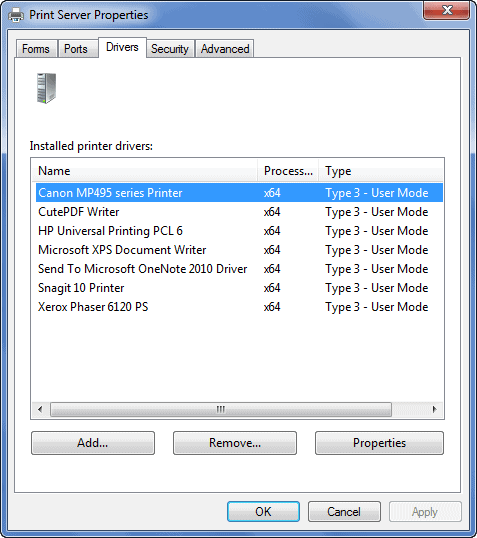
This is a follow up post to last week Replicating Print Drivers in Citrix XenApp 6.5. There’s indeed many smart people out there so today I wanted to share a similar script created by a friend of mine Microsoft PowerShell MVP Jan Egil Ring. This blog post is just a summary of his awesome work so please visit the original blog post and give Jan Egil some creds in the comments on his blog.

As I described in the last post the easiest way to install printer drivers is to manually or automatically connect to your print server(s) to install the drivers. This is normally not a problem in small environments with only 1 print server and <50 printer objects, but can definitely create some headaches in enterprise environments.

Continue Reading