

Citrix has just released a new version of the Citrix License Server VPX which are a self-contained Linux-based virtual appliance that allows you to easily deploy licensing in your Citrix environment. The requirement is only 256 mb which are sufficient for up to 500 Citrix servers and approximately 50.000 licenses. Currently the Citrix License Server VPX is only available for Citrix XenServer 5.6 Feature Pack 1 / Service Pack 2 or higher.
To get started download and import the Citrix License Server VPX Appliance via XenCenter and then configure hostname, dns suffix and ip address. If you’re testing this out I would recommend using the same name as your current Citrix License Server. This way you don’t need to return and reallocate all your licenses. Even though the hostname is the same it won’t register in DNS so you’re all safe.
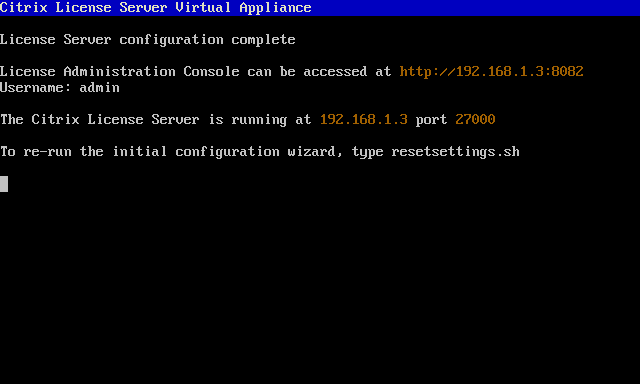
Log on to your license server and import all your licenses and restart the appliance.

Most likely you’re using Citrix Policy to define your License server host name. Simply change this to the ip address of your new Citrix License Server VPX.

To be sure that everything is working properly you should stop your old Citrix Licensing Server Service. Then run the command : gpupdate /force and qfarm /load on one of your Citrix XenApp servers to verify that everything is okay.

If the Server Load is 20.000 there’s something wrong, most likely the hostname. Remember that this is case sensitive.
For those wanting to Return and then ReAllocate the licenses to a new host name please logon to your MyCitrix account.

So should you transfer all your licenses to this new Citrix License Server VPX appliance? That’s up to you, but since the current Windows version normally runs side by side with Remote Desktop Services Licensing it won’t make sense to me. On the other side this is a great way to setup a standby Citrix License Server for Disaster Recovery.
Resource :
- Citrix License Server VPX
“If the Server Load is 20.000 there’s something wrong, most likely the hostname. Remember that this is case sensitive”
1.You only specify IP for the licenseserver, the hostname is not used, and should not care?
2. Is there a way to load-balance or put two licenceservers in HA?
1. hOsTnAmE is still used in the licensefile, isn’t it, so it must match the hostname of the vpx
The hostname is still used in the licensefile which must match the hostname of the VPX. If your old server is DC01 then the name of the VPX will be DC01.
Hi Eric,
where do you get the VPX version from? The License Server Version is 11.10.0 build 12002??? I have only the 11.6.1 Version, even i downloaded the VPX appliance down again.
Hi Daniel. You just use the link above under Resource. That will take you to the download page for the 11.10 build 12002.
I’m implementing a XD 5.5 project and wanted to use the new VPX license 11.10 appliance. The setup was easy, I imported the license file, licenses display correctly in dashboard. I pointed XenServers 6.0 and Provisioning server 6.0 and it connected fine.
The problem is when I try to configure XenDesktop license server. When I click “Verify” it takes a while and then the message “Compatible license server found”. But when i click OK, I get “Can’t get license info. Citrix Licensing Configuration Service is not configured” and am unable to start any VDI system, because there are no licenses?
Hi Mare and thanks for your comment. Saw you did get some help from Jarian Gibson over at Citrix Support Forum.
Small correction on 256MB requirement.
License VPX download size is right arount 256MB, but when you import into XenServer, it require 8GB disk size. You can verify in XenCenter vpx disk size.