
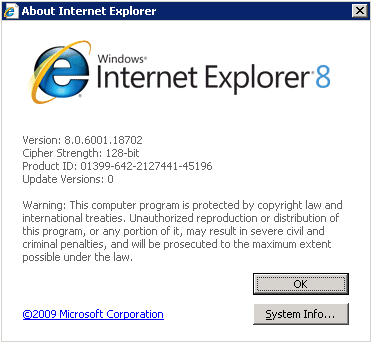
After scripting the installation of Internet Explorer 8 I decided to do a quick & dirty test on my W2K3 SP2 machine running on my XenServer 5 Lab. There is no Optimization for Citrix XenApp turned on because this is my domain controller.
So as a “normal” user I opened one IE windows with 6 tab, one with 2 tabs and one with one tab. I easily consumed more than 350 MB of memory and 5 instances of iexplore.exe where running.
Next I closed all the IE windows and opened just one, and of course it went to msn.com as default. Now it consumed 85 MB of memory and had 2 instances of iexplore.exe running which are by design.


Now, look what happens with the CPU when I place the cursor over the McDonald’s advertisement.


If you really wanna push it, or work at Citrix with Flash Optimization, take a look at this Norwegian WeatherCast site.


The CPU is the half but it doesn’t stop before it has consumed 162 MB of memory.
WOW….on a PC okay, but in a Terminal Server environment this is a no go, really a IE8 turn off. What do think ? Please feel free to leave a comment below.
Internet Explorer 8 is as stable as Opera and Firefox. it does not crash a lot like IE7.
i am pretty much satisfied about the features and stability of Internet Explorer 8. it is much better than IE6 or IE7.
Using IE8 in a Terminal Server solution like fex Citrix is a no go for me. I have experienced the same result testing it in a test environment and have for the moment gone for Firefox until I can find a solution on the memory usage IE8 needs.
Note to posters: I think the article is asking how IE8 is on Terminal Services; if you’re not using that, a general comment on stability may not be as helpful.
In my case I have experience with an nComputing platform (essentially TS) and find that performance in IE is ridiculously inefficient. Flicker, lag, and memory use are all undesirably noted–so much so that users (on a dual-core machine normally running at 2% CPU) tend to keep clicking IE’s icon because they think it’s not starting. There is a registry setting that fixes flicker (Force Offscreen Composition) but this is inconsistently applied, and memory use–just by IE–is nearly 50% of the total consumed. While there are a number of documents to tweak IE (e.g., on this site, such as “Why Internet Explorer Will Kill Your Memory”), I will probably be forced to install Firefox and silently replace the IE link to start that instead.
I think you guys need to set the Tab Process Growth to 0. You can do this via GPO or registry, but it should stop IE from running away with memory by creating more than one iexplore.exe process.
Hi Mark,
Yes I’m aware of that setting, that will be in the next post of “Why Internet Explorer will kill your memory – Part II” coming soon.
Eric
so iss das mit den Updates…
IE8 with TS/Citrix Server is much better than IE6 and IE7. At the moment I’m testing IE8 as streaming application. There are a lot of interessting news about IE8 as streaming application. I will have a look at the memory. Keep up the good work.
Regards,
Frank