
The Apple iPad doesn’t support a mouse, only a bluetooth keyboard. Citrix have been smart enough to include this in the Citrix Receiver for iPhone and iPad. They call it the Wireless TrackPad. I wonder why they didn’t show this at Synergy it’s super cool. Check out this Picture Tutorial on How To Set it up.
On your iPhone open Citrix Receiver and press the mouse icon in the lower right corner of the screen
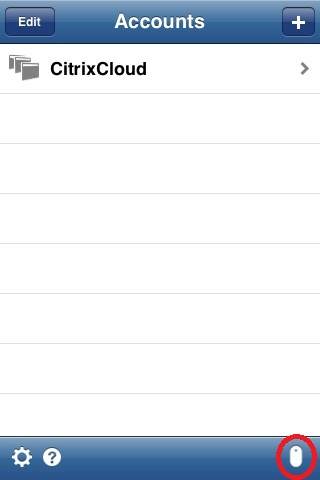

Start Citrix Receiver on the iPad and launch a application. Touch the middle top of the screen to show the Citrix Receiver Toolbar. Press the “Pair” button.
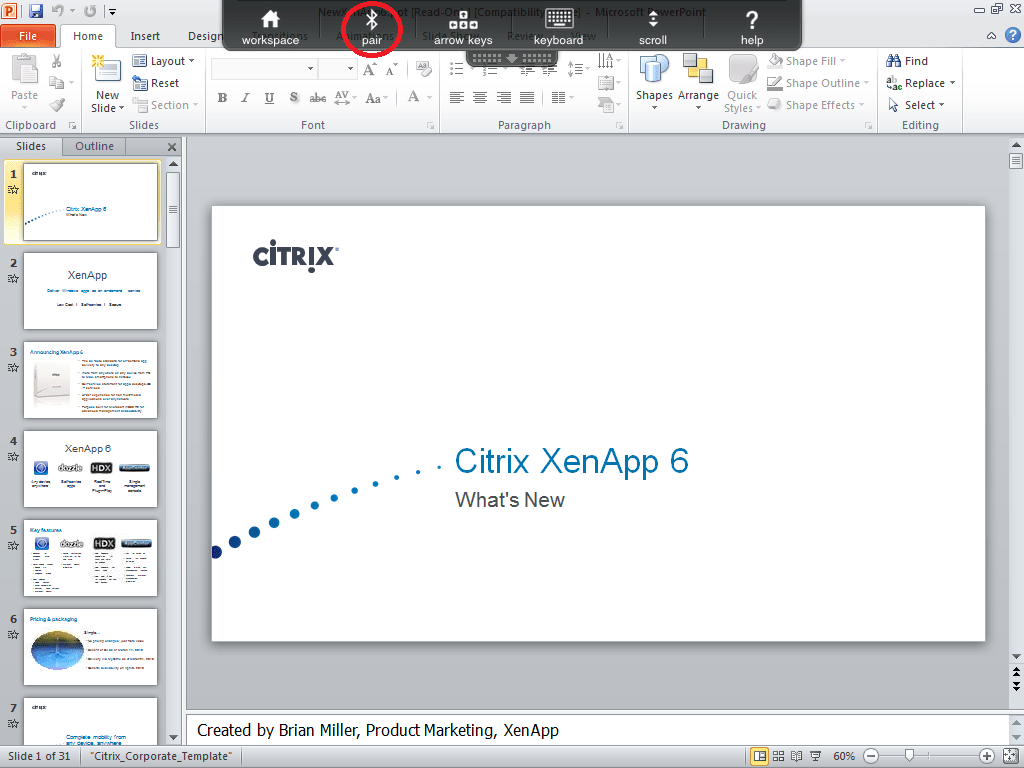
Confirm the connection at you iPhone – And your done

The Fastest Way to Getting Started with Citrix XenApp 5.0 on Windows 2008
5132 other Citrix Community members have already downloaded the eBook. It contains a lot of helpful information for both beginners and experts. Combined with the 7 day eCourse you will have a solid foundation to get certified as a Citrix Administrators. Check out some of these testimonials:
“I’ve used the the Hands On Guide for XenApp 5.0 extensively as a reference in my work. It’s been a great help to me”. John Martz – Illinois, USA
“Your guide was very helpful for me to get started with XenApp 5 and XenServer. I have deployed XenApp 5 using this on production environment and all looks good. Many thanks and keep up the good work!!!”. Manish N. Dwivedi – India
“Your web site has helped me greatly as I have now developed a test Citrix farm using your guide, this proved to be a great reference to follow when setting up a new 2008 environment with XenApp 5.0, not only does it cover installing XenApp but gives an insight into XenServer. Would highly recommend this web site and eBook to anyone from beginner to expert”. Nick Rimmer – Scotland
“I truly appreciate the work and the amount of time you spent in creating this amazing book. I found your book an excellent start to the world of Citrix XenApp. What I truly appreciate the most is the step by step instructions in about every little detail that goes with XenApp installation and settings. I wish I had your book a few years back when I first start learning about Citrix it would saved me a lot of hours and frustrations. Keep up the good work!”. Adam Tigris – Toronto
I dont have the picture of the mouse in the bottom right corner how do I get it?
Hi Dann,
Make sure to update to the latest version of the Citrix Receiver for iPhone. On the bottom you now have an arrow in the lower left and a help icon in the lower right corner of the welcome screen. Hope this helps
Does it have to be a iPhone 4? I have a iPhone 3S and I do not get he mouse icon on my citrix receiver client
This also works on iPhone 3, make sure you update to the latest Citrix Receiver.
My version of Citrix Receiver for iPhone version 5.7 is setup the following way: Settings > Advanced > Wireless Trackpad
Great article Trond, many thanks!
BR, miguel
I found out how to connect my iPhone to my iPad and to pair them. What I can not figure out is how to disable the “native trackpad” for the iPad. When I followed your directions to pair the devices together the iPad prompts me saying, “Native trackpad is active. Please disable and try again.” Any help with this?
before pairing you have to click once on the blue arrow to deaktivate the native trackpad then you can pair your iphone to your ipad 🙂
I’m still not seeing the mouse icon in the bottom of the screen when I open the Citrix receiver on my iphone. Is this functionality still available?
Same as Matt M. I never see the mouse icon. I can’t even get to the screenshot shown in the directions.
The only option I get is to create an account when Citrix Receiver is first loaded on my phone. I am restricted from logging on to my work account w/my iPhone, so I can’t complete the account setup & I never see the mouse icon.
I’m using the same / latest version (Citrix Receiver v5.7.1) on an iPad3 & iPhone4s. I even tried the Windows approach of rebooting, reloading & setting everything up from scratch & still no mouse icon.
I am on 5.7.2.
The iPhone trackpad is under Settings>Advanced>Wireless Trackpad in the application.
Hi,
I guess it wont work outside the app right? I would love to use the touchpad with ipad and then I read this article and it is amazing but It will work just for Citrix right?
Thanks.
Correct, this will just work inside that published Citrix Desktop.
How on Earth do you right click when using the iPhone as a trackpad?!?
Just hold your finger for a second and the menu will appear.
That’s how you do it on the iPad, but it’s not working for me with my iphone as a remote trackpad.
Make sure you have the same version on both iOS devices, the article is a little bit old, so the settings is probably in another menu.
It works great!! but how do you Right Click.
where can i download the app? please give me the link
The Apple Store